Plex was giving me this error on my TrueNAS server:
Playback Error
Conversion failed. The transcoder exited due to an error.
The affected media wouldn't play at all. This wasn't just missing audio.
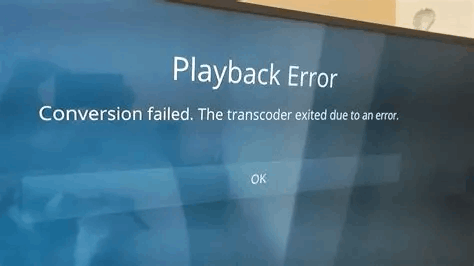
I didn't figure out the fix myself. I spent a long time searching because the message told me the transcoder had failed, but not why. It didn't mention EasyAudioEncoder or point me toward the codec folder. Other people had already worked out the rename workaround; I just had a hard time connecting that fix to the error I was seeing.
What worked for me was removing .tmp from an EasyAudioEncoder directory name. I'm writing it down because that isn't an obvious place to look when Plex is only giving you a transcoder error.
How an audio problem stopped playback
EasyAudioEncoder, usually shortened to EAE, is part of Plex's audio-transcoding process. Plex can leave the video alone while converting the audio into something the playback device supports. Plex explains that distinction here.
If the audio conversion fails, Plex may not be able to produce the stream at all. So an audio-codec problem can stop the whole movie or episode from playing, rather than just give you a video with no sound.
That was the confusing part for me. Plex did say that conversion had failed, but it didn't tell me that an audio-codec problem could stop the whole thing from playing.
The change that worked for me
In Plex's Codecs folder, I had an EasyAudioEncoder ZIP and a matching directory that still ended in .tmp. The directory looked like this:
EasyAudioEncoder-<build>-linux-x86_64.tmpThe build identifier will vary. I renamed the directory to the same name without .tmp, leaving the rest of the name alone:
EasyAudioEncoder-<build>-linux-x86_64I didn't rename the ZIP file. After changing the directory name, the media played again. I didn't need to restart Plex in my case.
That doesn't mean every .tmp directory should be renamed. It can also mean the download or extraction didn't finish. The rename worked with the files I had; it doesn't prove why Plex left them that way.
Finding the Codecs folder
The main thing is to look in Plex's configuration data, not your movies or TV dataset.
If you open a shell for the Plex app/container, the usual location is:
/config/Library/Application Support/Plex Media Server/CodecsThat's the layout used by the official Plex Docker image. If you aren't sure where the folder is under /config, this one command will look for it:
find /config -type d -name Codecs -printRun that inside the Plex container, not in the TrueNAS host shell. It only prints matching paths; it doesn't change anything. If your image doesn't have /config, check the Plex app's storage settings for its configuration mount instead.
Once you're in Codecs, look for the EasyAudioEncoder directory. You may also see ZIP files and other codec versions, so pay attention to which item actually ends in .tmp.
On the TrueNAS side, my full path was:
/mnt/HDDs/Applications/plex/config/Library/Application Support/Plex Media Server/CodecsThat's just my dataset layout, not a path everyone will have. The app's storage settings connect the container's /config to the storage on the NAS. That's where I'd look if I needed to access the files from the host instead. Plex also lists its default data locations for other installations.
What other people reported
The same rename workaround appears in this TrueNAS community thread and this TrueNAS Apps issue. In the Apps issue, the logs included:
Unzip: could not set executable bit on output file
CodecManager: failed to extract zip
Error configuring transcoder: Decoder install failed: eac3_eae
Those log messages narrow it down to codec installation. The player's "Conversion failed" message only tells you that the transcoder stopped.
People discussed permissions and how Plex extracts the codec, but the discussion didn't establish one cause that applies to every setup. The maintainer also pointed out that the older forum advice was for a jail, not a container app. I wouldn't copy a user ID or change permissions across an entire dataset just because someone else's setup needed it.
It still happens after some updates
From what I've been able to check, my Plex Docker app should already have the permissions it needs. Even so, the error still shows up after some updates, and I have to remove .tmp from the EasyAudioEncoder directory name again. It gets playback working, but it hasn't been a permanent fix for me.
Even though my rename worked without a restart, I'd still stop Plex and keep a copy of the affected directory before changing codec files on another server. If you stop the whole container, use the mapped host path for the change; the container's shell won't be running.
If the files are incomplete, renaming the directory won't repair them. Letting Plex download the affected codec again is another approach people try, but the first TrueNAS thread says rebuilding the cache didn't stop the issue from returning.
There are also EAE reports involving timeouts and temporary WAV output, rather than this .tmp directory problem. An EAE working directory under /tmp isn't the same thing as an installation directory ending in .tmp.
On another setup, I'd look at the actual Plex log messages before assuming the same rename is the answer or changing permissions. And I'd keep any changes limited to the codec files. This isn't a reason to delete Plex's database, rebuild the library, or touch the media files.